But, and you knew there was a "but" coming, right? Just like walking down a busy street, there are always a few folks out there looking to cause trouble. Online, these "troublemakers" can be a real headache, trying to get their hands on your personal info, your hard-earned cash, or just generally mess with your digital life. And if you"re not exactly a tech wizard (and who is, really?), the whole idea of "online security" can feel like trying to solve a Rubik"s Cube blindfolded. It"s enough to make anyone throw their hands up in frustration!
That"s where I come in. Think of me as your friendly digital guardian, here to tell you that protecting yourself online doesn"t have to be complicated or scary. You don"t need a computer science degree, or even to understand all the jargon. What you do need are a few simple, smart habits that can make a heck of a lot of difference. Seriously, just a handful of easy steps can save you from the nightmare of identity theft, the sting of financial loss, and a whole lot of major headaches down the line. It"s about giving you peace of mind, knowing you"re safe while you enjoy all the amazing things the internet has to offer. So, grab your favorite beverage, get comfy, and let"s chat about making your online world a safer, happier place. Ready?
Password Power-Up: Your Digital Fortress Starts Here
Alright, let"s kick things off with the absolute cornerstone of your online-safety: passwords. Think of your passwords like the keys to your house, your car, your bank vault – basically, everything important. If someone gets their hands on a flimsy, easy-to-guess key, well, you know what happens next, right? Yet, so many of us are still using passwords like "password123" or our pet"s name. No judgment here, we"ve all been there! But it"s time for a serious upgrade.
So, how do you create passwords that are like digital fortresses, strong enough to deter even the most determined digital intruders, and actually remember them? It sounds like a tall order, but it"s totally doable. Here are my top tips:
First up, meet your new best friend: a password-manager. If you take away one thing from our chat today, let it be this. A password manager is a secure app that stores all your complex, unique passwords for every single site and service you use. You only have to remember one master password to unlock the manager, and it does the rest. It generates super strong passwords for you, fills them in automatically, and keeps them safe. Seriously, it"s a game-changer for internet-security. Popular ones include LastPass, 1Password, and Bitwarden – check them out!
Next, let"s talk about what makes a password strong. Forget short, simple words. Think long, complex phrases! Imagine a sentence like "My dog loves chasing squirrels in the park!" – now, add some numbers and symbols: "MyDogLovesChasingSquirrelsInThePark!23". See how long and unique that is? It"s much harder to guess or crack than "doglover123". The longer and more varied your password, the better. And please, for the love of all that is secure, don"t reuse passwords across different sites! If one site gets breached, all your accounts are vulnerable.
Finally, let"s talk about a superhero sidekick for your passwords: Two-Factor Authentication (2FA). This is like having a second lock on your door. Even if someone somehow gets your password, they still can"t get in without that second "factor." This usually means a code sent to your phone via text, or generated by an authenticator app (like Google Authenticator or Authy). It"s an extra step, yes, but it"s a huge boost to your digital-protection and makes it exponentially harder for bad actors to access your accounts. Most major services offer 2FA, so turn it on wherever you can!
Spotting Scams: Your Inner Detective for Phishing & Sneaky Links
Okay, now that your passwords are rock-solid, let"s talk about another common way scammers try to trick you: phishing. Ever gotten an email that looks just like it"s from your bank, or Amazon, or even a friend, asking you to click a link or verify some info? That"s often a phishing attempt, and it"s one of the most common phishing-scams out there. These sneaky messages are designed to look legitimate, but their real goal is to trick you into giving up your personal details, like passwords or credit card numbers, or to download harmful software.
But don"t worry, you"ve got an inner detective, and we"re going to sharpen those skills! Here"s how to spot these digital wolves in sheep"s clothing:
First, check the sender"s email address – carefully! Scammers often use email addresses that look almost right, but with a tiny difference. For example, instead of "support@amazon.com," it might be "support@amaz0n.com" (with a zero instead of an "o") or "amazon-support@mail.com." Don"t just trust the display name; always look at the actual email address. If it looks fishy, it probably is.
Next, hover before you click! This is a golden rule. If an email or message asks you to click a link, don"t just blindly click it. Instead, move your mouse cursor over the link (without clicking!) and look at the bottom left corner of your browser window, or a small pop-up will appear showing the actual web address the link goes to. If the displayed address doesn"t match where you expect to go (e.g., it says "evil-scam-site.com" instead of "yourbank.com"), do NOT click it. It"s a trap!
Also, keep an eye out for red flags in the message itself. Scammers often aren"t the best spellers or grammarians. Look for poor grammar, awkward phrasing, or typos. They also love to create a sense of urgency or fear – "Your account will be closed! Click here NOW!" or "You"ve won a million dollars! Just confirm your bank details!" These are classic tactics to get you to act without thinking. Legitimate organizations rarely demand immediate action or ask for sensitive information via email or text.
Finally, remember this: legitimate companies will almost never ask for your password, credit card number, or other highly sensitive information via email or text message. If you"re ever unsure about an email, don"t click any links. Instead, go directly to the company"s official website by typing their address into your browser, or call them using a phone number you know is correct (not one from the suspicious email). Trust your gut feeling – if something feels off, it probably is. Being a little skeptical is a superpower when it comes to cybersecurity-tips.
Software Savvy: Keeping Your Digital Tools Sharp & Safe
Alright, we"ve talked about your digital keys and your detective skills. Now, let"s focus on the tools themselves – your computer, your phone, your tablet. Just like a car needs regular maintenance to run smoothly and safely, your digital devices need a little TLC to keep them protected from online threats. It"s not about becoming a tech guru, but about adopting some smart habits to ensure your digital-protection is always up to snuff.
First and foremost: enable automatic updates for your operating system and all your apps. I know, I know, updates can sometimes feel like a nuisance, popping up at the worst possible time. But here"s the deal: those updates aren"t just about new features or fixing minor bugs. A huge part of what they do is patch up security vulnerabilities – basically, closing little digital holes that hackers could exploit to get into your device. When you delay updates, you"re leaving those holes open. So, set your devices to update automatically, or make it a habit to check for and install updates regularly. It"s one of the easiest and most effective online-safety measures you can take.
Next, let"s talk about reputable antivirus and anti-malware software. While Macs and phones are generally more secure than Windows PCs, no device is completely immune to malicious software (malware). A good antivirus program acts like a digital bodyguard, constantly scanning for threats, blocking suspicious downloads, and alerting you to potential dangers. For Windows users, it"s absolutely essential. For Mac users, while less critical, it"s still a smart layer of protection, especially if you download a lot of files or visit less reputable websites. Do a little research to find a well-reviewed, paid antivirus solution – often, the free ones don"t offer the same level of comprehensive protection.
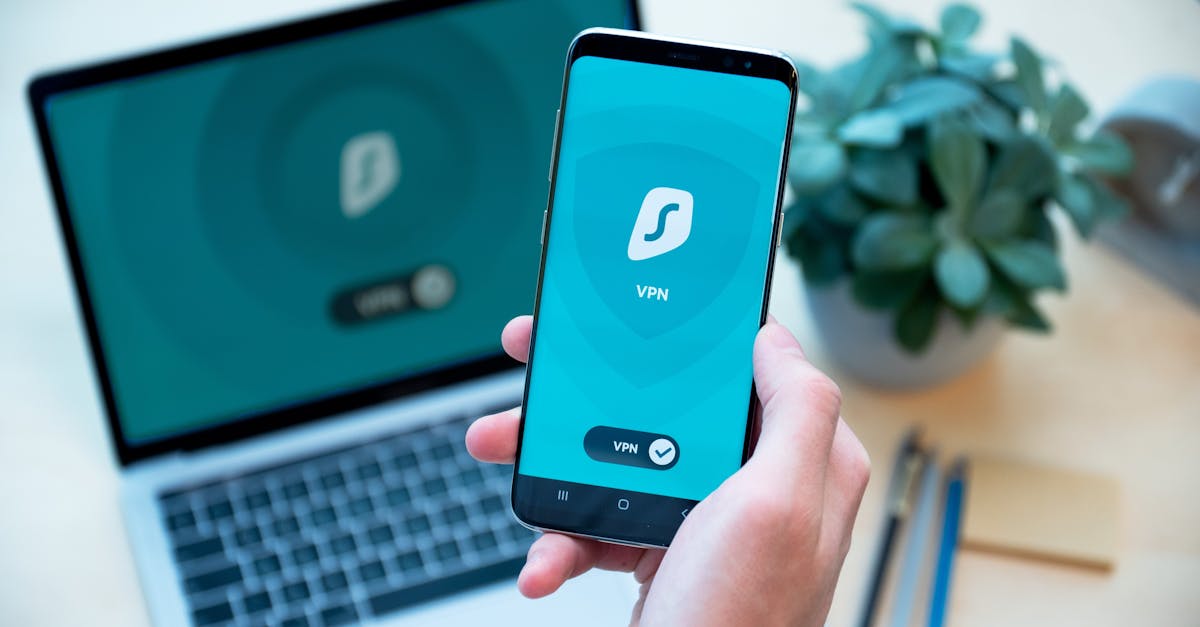
And finally, a word of caution about free Wi-Fi. We all love a good freebie, especially free Wi-Fi at coffee shops, airports, or hotels. It"s super convenient, right? But here"s the catch: these public networks are often unsecured, meaning that anyone else on the same network could potentially snoop on your online activity. It"s like having a conversation in a crowded room where everyone can hear you. If you absolutely must use public Wi-Fi, avoid doing anything sensitive like online banking or shopping. Better yet, use a Virtual Private Network (VPN) – it encrypts your internet connection, making it much harder for snoopers to see what you"re doing. Or, if you can, just stick to your mobile data, which is generally much more secure.
These simple steps for keeping your software updated and being smart about your connections are vital cybersecurity-tips that keep your devices healthy and your data safe. It"s all about being proactive, not reactive!
Your Digital Peace of Mind Starts Today!
Phew! We"ve covered quite a bit, haven"t we? But look at you – you"re already so much more equipped to navigate the digital world safely. The big takeaway here is that online-safety isn"t about being a tech genius or understanding every single detail of how the internet works. It"s about building smart, simple habits into your daily routine, just like locking your front door or looking both ways before crossing the street.
We"ve talked about powering up your passwords with managers and 2FA, sharpening your detective skills to spot those sneaky phishing scams, and keeping your devices healthy and updated. Each of these steps, on its own, makes a difference. Together, they create a robust shield around your digital life, giving you that precious peace of mind.
So, what"s next? Don"t feel like you have to implement everything all at once. Pick one thing from our chat today – maybe it"s finally setting up a password manager, or turning on 2FA for your most important accounts, or just being extra vigilant about checking sender emails. Take action on that one thing, and then, when you"re ready, tackle another. Every small step you take makes you safer and more confident online.
And hey, if you found this guide helpful, why not share it with a friend or family member? We all deserve to feel safe and secure online, and spreading these simple internet-security tips can make a real difference for everyone. Thanks for hanging out and chatting about something so important. Stay safe out there, and enjoy your digital adventures!