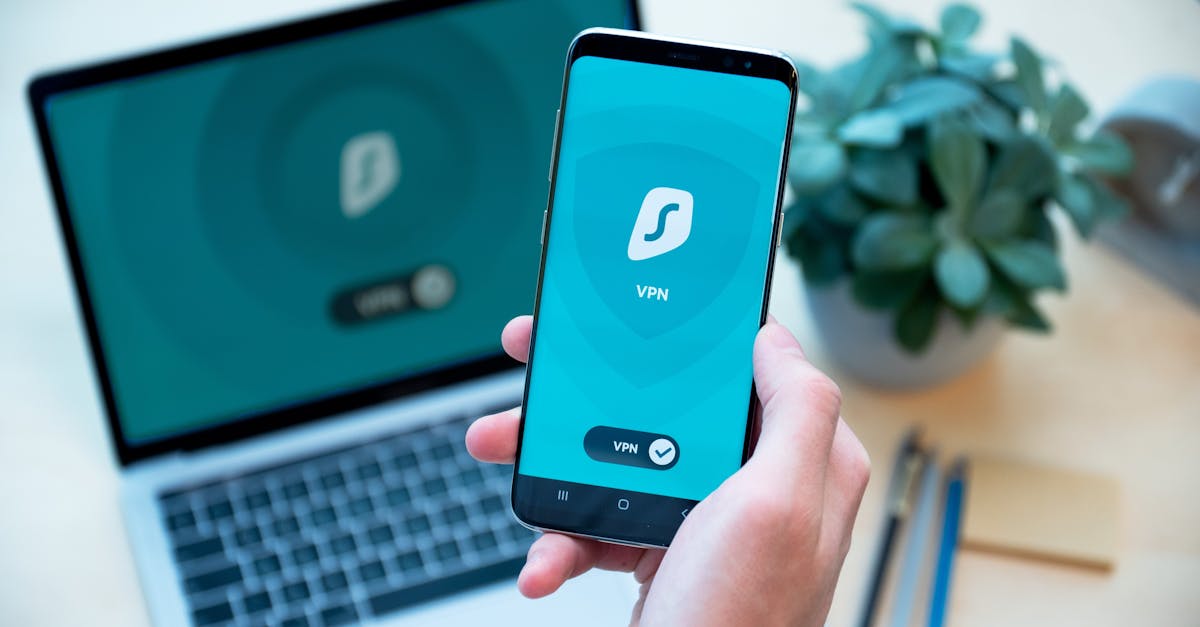
Let's get real for a moment. The internet is an amazing place, isn't it? It connects us, entertains us, helps us learn, and makes our lives a heck of a lot easier. But, just like any bustling city, it also has its dark alleys and tricky characters. We hear stories about people getting hacked, losing money, or having their identity stolen, and it can feel pretty overwhelming, right? Like you need to be some kind of cybersecurity guru with a supercomputer to keep yourself safe.
Well, I'm here to tell you that's just not true. You absolutely don't need to be a tech wizard to protect yourself online. Think of me as your friendly digital guardian, here to walk you through some super simple, totally doable steps that will make a huge difference in your online-safety. We're talking about preventing those digital headaches – identity theft, financial loss, and all that stress – with just a few easy adjustments to your daily routine. It's about giving you peace of mind, knowing you've got your digital back. So, grab your favorite beverage, get comfy, and let's chat about how to make your online world a safer, happier place. No jargon, no complicated tech talk, just practical advice you can use today.
Password Power-Up: Your Digital Front Door
Alright, let's kick things off with the absolute foundation of your cybersecurity-tips: your passwords. Think of your password as the lock on your front door. You wouldn't use a flimsy lock, or leave your spare key under the doormat for everyone to find, would you? Of course not! Yet, so many of us are still using passwords that are about as secure as a sticky note on the fridge.
The key idea here is simple: strong, unique passwords are your essential first line of defense against anyone trying to sneak into your digital life. A strong password isn't just "password123" or your pet's name. It's a jumble of uppercase and lowercase letters, numbers, and symbols. It's long – ideally 12 characters or more – and it doesn't contain any easily guessable personal information like your birthday, address, or family names. And here's the kicker: it needs to be unique for every single account. I know, I know, that sounds like a nightmare to remember, right? Who has the brainpower for a hundred different complex passwords?
That's where your new best friend comes in: a password manager. This isn't some fancy, complicated piece of software; it's a super helpful tool that acts like a secure digital vault for all your passwords. You only need to remember one master password to unlock the vault, and then it remembers all your other complex, unique passwords for you. It can even generate super strong, random passwords with a single click, and automatically fill them in when you log into websites. Popular options like LastPass, 1Password, Bitwarden, or Dashlane are incredibly user-friendly and make managing your digital keys a breeze. Using a password manager is one of the single most effective steps you can take to prevent-hacking and seriously level up your online-safety. Trust me, once you start using one, you'll wonder how you ever lived without it. It takes the stress out of remembering, and the guesswork out of creating strong passwords.
Two-Factor Authentication (2FA) is Your Best Friend
Okay, so you've got your super strong, unique passwords thanks to your awesome password-manager. That's fantastic! But what if, by some stroke of bad luck, a hacker does manage to get their hands on one of your passwords? This is where two-factor-authentication (often called 2FA or multi-factor authentication) swoops in like a digital superhero.
Think of 2FA as adding a second, crucial lock to your digital door. Even if someone has your key (your password), they still need a second piece of information – something only you have – to get in. It's an extra layer of security that makes it exponentially harder for unauthorized users to access your accounts. This "something you have" usually comes in the form of a unique, one-time code sent to your phone via text message, generated by a special app (like Google Authenticator or Authy), or even a physical security key.
Here's how it works: You enter your password as usual. Then, the website or app asks for that second code. You check your phone, grab the code, type it in, and then you're logged in. Simple, right? But that simple step is a game-changer. If a hacker somehow gets your password, they still won't have your phone or your authenticator app, so they're stopped dead in their tracks. It's like having a bouncer at the door who not only checks your ID but also asks for a secret handshake only you know.
Turning on 2FA is one of the most impactful cybersecurity-tips you can implement, and it's available on almost all major platforms now – email, social media, banking, shopping sites, you name it. Go into your account settings, look for "Security" or "Login & Security," and enable 2FA wherever you can. It might add an extra few seconds to your login process, but those few seconds are absolutely worth the peace of mind knowing your accounts are significantly more secure. Seriously, if you do nothing else today, turn on 2FA for your email and banking accounts. It's a powerful shield against potential breaches and a vital step to prevent-hacking.
Spotting Phishing Scams: Don't Take the Bait!
Now that we've fortified your accounts with strong passwords and 2FA, let's talk about one of the sneakiest tricks in the hacker's playbook: phishing-scams. These aren't about brute-forcing their way into your accounts; they're about tricking you into giving them your information. Think of it like a wolf in sheep's clothing, sending you an email or text that looks legitimate but is actually a trap.
Phishing scams are designed to look like they're from a trusted source – your bank, Amazon, Netflix, a government agency, or even a friend. They'll often try to create a sense of urgency or fear, hoping you'll act without thinking. The goal is always the same: to get you to click a malicious link, download an infected attachment, or directly hand over sensitive information like your password, credit card number, or social security number.
So, how do you spot these sneaky attempts? Here are some red flags to watch out for:
- Urgent or Threatening Language: "Your account will be closed!" "Immediate action required!" "Suspicious activity detected – click here to verify!" Scammers love to panic you into making mistakes.
- Bad Grammar and Spelling: Legitimate companies usually have professional communications. Typos, awkward phrasing, or grammatical errors are often big giveaways.
- Suspicious Sender Email Address: Always check the sender's email address, not just the display name. Does it really come from "support@amazon.com" or is it "support@amaz0n-security.net"? Hover over the sender's name to reveal the actual email address.
- Generic Greetings: If an email starts with "Dear Customer" instead of your actual name, that's a sign it's a mass phishing attempt.
- Requests for Sensitive Information: Legitimate companies will almost never ask you to confirm your password, full credit card number, or social security number via email or text. If they do, it's a scam.
Small Steps, Big Impact: Your Digital Peace of Mind
Phew! We've covered a lot, haven't we? But look at how much ground we've gained! We've talked about powering up your passwords with a password-manager, adding that crucial second layer of defense with two-factor-authentication, and becoming a pro at spotting those tricky phishing-scams.
The biggest takeaway here is this: protecting yourself online doesn't have to be daunting or complicated. It's not about being perfect; it's about taking small, consistent steps that collectively make a huge difference in your digital security. Each one of these cybersecurity-tips acts like a brick in your personal digital fortress, making it incredibly difficult for anyone to break through. You're building resilience, gaining confidence, and most importantly, securing your peace of mind.
You've got this! You're now equipped with practical, easy-to-understand knowledge that empowers you to navigate the online world safely. So, what's next? Don't feel like you have to do everything at once. Pick just one tip from today – maybe set up 2FA on your email, or download a password-manager and start with your most important accounts. Take that first step. And hey, why not share this knowledge with a friend or family member? Because when we all get a little smarter about online-safety, the internet becomes a better, safer place for everyone. Stay safe out there!