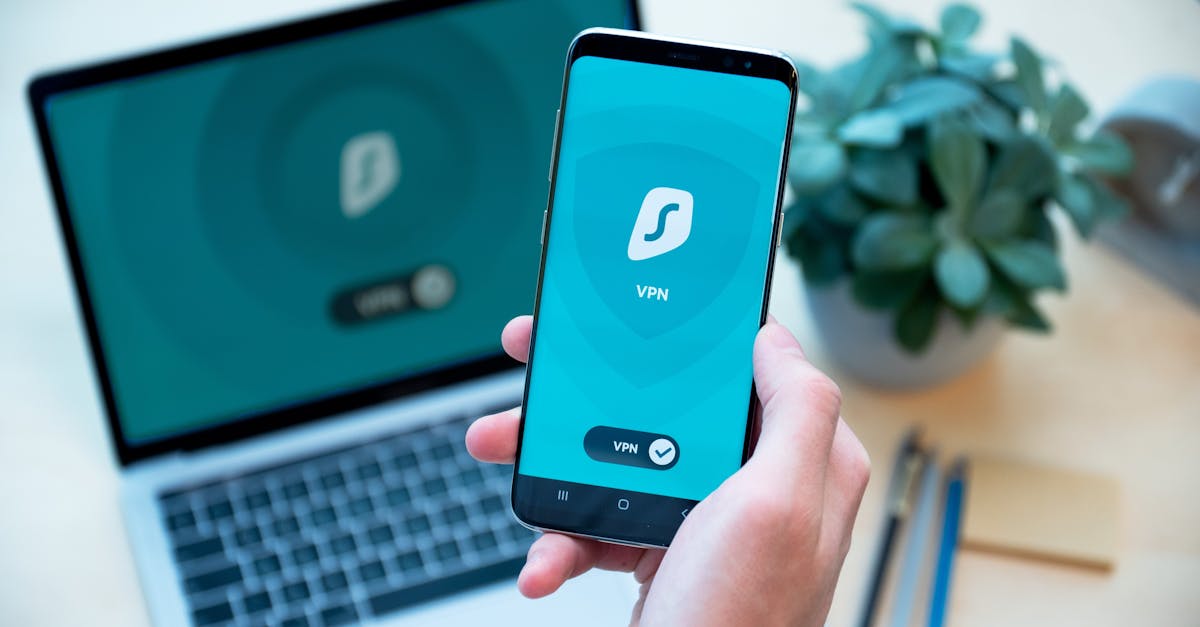
But here's the honest truth, and it's a really reassuring one: protecting yourself online isn't some dark art reserved for the pros. It's actually about building a few simple, consistent habits into your daily digital life. Think of it like brushing your teeth, locking your front door, or putting on your seatbelt – small, everyday actions that make a heck of a lot of difference in keeping you safe and sound. You don't need to be a coding wizard or a security expert to make a huge impact on your own `online-security`.
Because let's get real, your online life is your life. It's where you bank, shop, connect with loved ones, store precious memories, manage your health, and even pursue your passions. Safeguarding your data, your hard-earned money, and most importantly, your peace of mind, is absolutely crucial. You deserve to navigate the internet feeling safe and confident, not constantly looking over your shoulder. So, let's ditch the jargon and dive into some practical, easy-to-adopt `cybersecurity-tips` that'll turn you into an online safety superhero without needing a cape. You've got this!
Master Your Passwords (Seriously!)
Okay, first up on our "digital guardian" checklist: passwords. Ugh, I know. They're a pain, right? So many accounts, so many rules, and the temptation to just use 'password123' or your pet's name is real. We've all been there, trying to juggle a dozen different login credentials in our heads. But here's the thing: weak or reused passwords are like leaving your front door wide open with a "Welcome, Thieves!" sign on it. Cybercriminals absolutely love them because they're the easiest way in. They use automated programs that can guess millions of simple passwords per second, or they rely on lists of common passwords from past data breaches.
So, what's the secret sauce? Strong, unique passwords for every single account. Yes, I said every single one. A strong password isn't just long; it's a jumble of uppercase and lowercase letters, numbers, and symbols. Think of a random phrase, maybe something silly like 'PurpleMonkeyDishwasher!73' – hard for a computer to guess, but easy for you to remember if you have a system. The longer and more complex, the better. Aim for at least 12-16 characters if you can.
Why unique? Because if a hacker gets one of your passwords from a data breach (and let's be honest, breaches happen to even the biggest companies, sometimes through no fault of your own), they'll immediately try that same password on all your other accounts. This is called "credential stuffing," and it's incredibly effective for them. If your passwords are unique, they hit a dead end. It's like having a different key for every room in your house – if one key is compromised, the rest of your home is still secure. It's a fundamental step in `internet-safety`.
Now, before you throw your hands up in despair thinking, "How on earth am I going to remember all those crazy passwords?!" – let me introduce you to your new best friend: a reputable `password-manager`. Seriously, this tool is a game-changer. It's a secure, encrypted vault that stores all your complex, unique passwords for you, and you only need to remember one super-strong master password to unlock it. Think of that master password as the only key to your digital fortress.
Think of it like a super-smart, super-secure digital assistant. A good password manager can generate incredibly strong, random passwords for you, fill them in automatically when you log into sites, and even alert you if any of your stored passwords have been compromised in a data breach. Popular options like LastPass, 1Password, Bitwarden, or Dashlane are fantastic. They use robust encryption, so your data is super safe. Investing in one (many even have excellent free versions!) is one of the smartest moves you can make for your `online-security`. It takes the burden off your brain and puts it into a secure, automated system. Trust me, once you start using one, you'll wonder how you ever lived without it. It's a cornerstone of good `cybersecurity-tips` and will dramatically improve your digital life.
Spot the Phish (Don't Take the Bait!)
Next up, let's talk about phishing. No, not fishing with a rod and reel, but the digital kind – where scammers try to "fish" for your personal information. This is one of the most common and effective ways cybercriminals trick people, and it's often done through emails, text messages (called smishing), or even social media messages that look incredibly legitimate. They're masters of disguise, these folks!
How it works: Imagine getting an email that looks exactly like it's from your bank, PayPal, Netflix, Amazon, or even a friend or colleague. It might say there's a problem with your account, a suspicious transaction, an urgent delivery notice, or an invoice you need to pay. The goal? To panic you into clicking a link that takes you to a fake website designed to steal your login credentials, credit card details, or download malware onto your device. It's sneaky, I tell ya, and they play on your emotions and sense of urgency.
But here's the good news: once you know what to look for, spotting a phish becomes much easier. Think of yourself as a digital detective. Here are the red flags to watch out for:
Check the Sender's Email Address: Does the email address really* match the company? Often, it'll be slightly off – like 'support@amaz0n.com' (with a zero instead of an 'o') instead of 'support@amazon.com'. Or it might be a completely random string of letters. A quick glance can reveal a lot.
Suspicious Links: This is a big one! Hover your mouse over any link before* you click it (on mobile, you can often long-press to preview the URL). Does the URL that pops up match where you expect to go? If the text says 'paypal.com' but the link shows 'random-scam-site.ru' or some other weird address, do NOT click it. It's a trap!
- Urgency and Threats: Phishing emails almost always create a sense of panic or urgency. "Your account will be closed in 24 hours!" or "Immediate action required to avoid charges!" Scammers want you to act without thinking, hoping you'll bypass your usual caution. Legitimate companies rarely demand immediate action without giving you a way to verify it directly on their official site.
- Grammar and Spelling: While not always a dead giveaway (some scammers are getting better!), poor grammar, awkward phrasing, or obvious spelling mistakes are often huge red flags. Major, reputable companies usually have professional communication teams.
- Generic Greetings: If an email from your "bank" addresses you as 'Dear Customer' or 'Valued Member' instead of your actual name, that's a sign. Most legitimate services personalize their communications.
- Unexpected Attachments: Be extremely wary of unexpected attachments, especially if they're from someone you don't know or if the email seems out of character. These can contain viruses or other malicious software.
What to do if you suspect a phish? Trust your gut. Don't click. Don't reply. Don't download. Instead, go directly to the official website of the company (type the URL yourself into your browser, don't use the link in the email) and log in there to check your account. Or call their official customer service number (again, find it on their official site, not in the suspicious email). A little bit of `phishing-prevention` vigilance goes a long, long way in protecting your `internet-safety` and keeping your personal information out of the wrong hands.
Two-Factor Authentication (2FA) is Your Friend
Alright, let's talk about 2FA – Two-Factor Authentication. If passwords are your front door lock, then 2FA is like adding a deadbolt, an alarm system, and maybe even a friendly guard dog. It's an essential extra layer of security that makes it exponentially harder for anyone to get into your accounts, even if they do manage to steal your password. Think of it as needing two different keys to open a safe, not just one.
Here's the simple idea: when you try to log into an account, after you enter your password (that's the first "factor" – something you know), the service asks for a second piece of verification (that's the second "factor" – usually something only you have). This second factor is usually a temporary code. The most common forms are:
- A code sent to your phone via SMS: You get a text message with a unique, temporary code that you enter to complete the login. It's convenient, but can be vulnerable to advanced attacks like "SIM swapping."
- A code from an authenticator app: Apps like Google Authenticator, Microsoft Authenticator, or Authy generate new, time-sensitive codes every 30-60 seconds right on your smartphone. These are generally more secure than SMS codes because they're not tied to your phone number and work even without a cell signal.
- A physical security key: These are little USB devices you plug in. Super secure and phishing-resistant, but a bit more niche for everyday users.
My advice? Enable 2FA on all your critical accounts. We're talking email (especially your primary one – it's often the key to resetting passwords for everything else!), banking, social media (Facebook, Instagram, Twitter), online shopping sites (Amazon, eBay), cloud storage (Google Drive, Dropbox), and any other service that holds sensitive information or money. Most major services offer it, and it's usually found in the 'Security' or 'Privacy' settings of your account. Look for options like "Two-Factor Authentication," "Two-Step Verification," or "Multi-Factor Authentication."
Yes, it might add an extra few seconds to your login process, especially the first time you set up a new device, but those few seconds are absolutely worth the peace of mind. It's a non-negotiable step for robust `online-security` and a top `cybersecurity-tip` that gives you a huge advantage against potential threats. Make it a habit, and you'll sleep a lot sounder at night, knowing your digital life is well-protected.
Small Habits, Big Impact
So, there you have it, my friend. We've covered mastering your passwords with unique, strong ones and the magic of a `password-manager`. We've sharpened your detective skills to `spot-the-phish` and protect yourself from sneaky scams. And we've embraced the power of `two-factor-authentication` as your ultimate digital deadbolt. None of these are rocket science, are they? They're just smart, practical steps you can take.
The beauty of `internet-safety` isn't about being perfect; it's about being proactive and consistent. Small, simple habits, practiced regularly, build an incredibly strong defense against the vast majority of online threats. You don't need to be a tech wizard to be safe online; you just need to be smart and a little bit mindful about how you interact with your digital world. These aren't just tips; they're foundational pillars for a secure and worry-free online experience.
So, what's one thing you can do today? Maybe you'll finally set up that password manager you've been thinking about, or enable 2FA on your primary email account. Pick one tip, implement it, and feel that surge of digital confidence! Every step you take makes your digital fortress stronger. And hey, if you've got a brilliant security hack or a story about how one of these tips saved you from a sticky situation, I'd absolutely love to hear it. Share your best `cybersecurity-tip` in the comments below – let's help each other stay safe out there and build a more secure online community!